AI Tools: Then vs Now for Career Planning
A practical then-vs-now guide for candidates who want to explain how AI changes everyday work without sounding hype-driven.
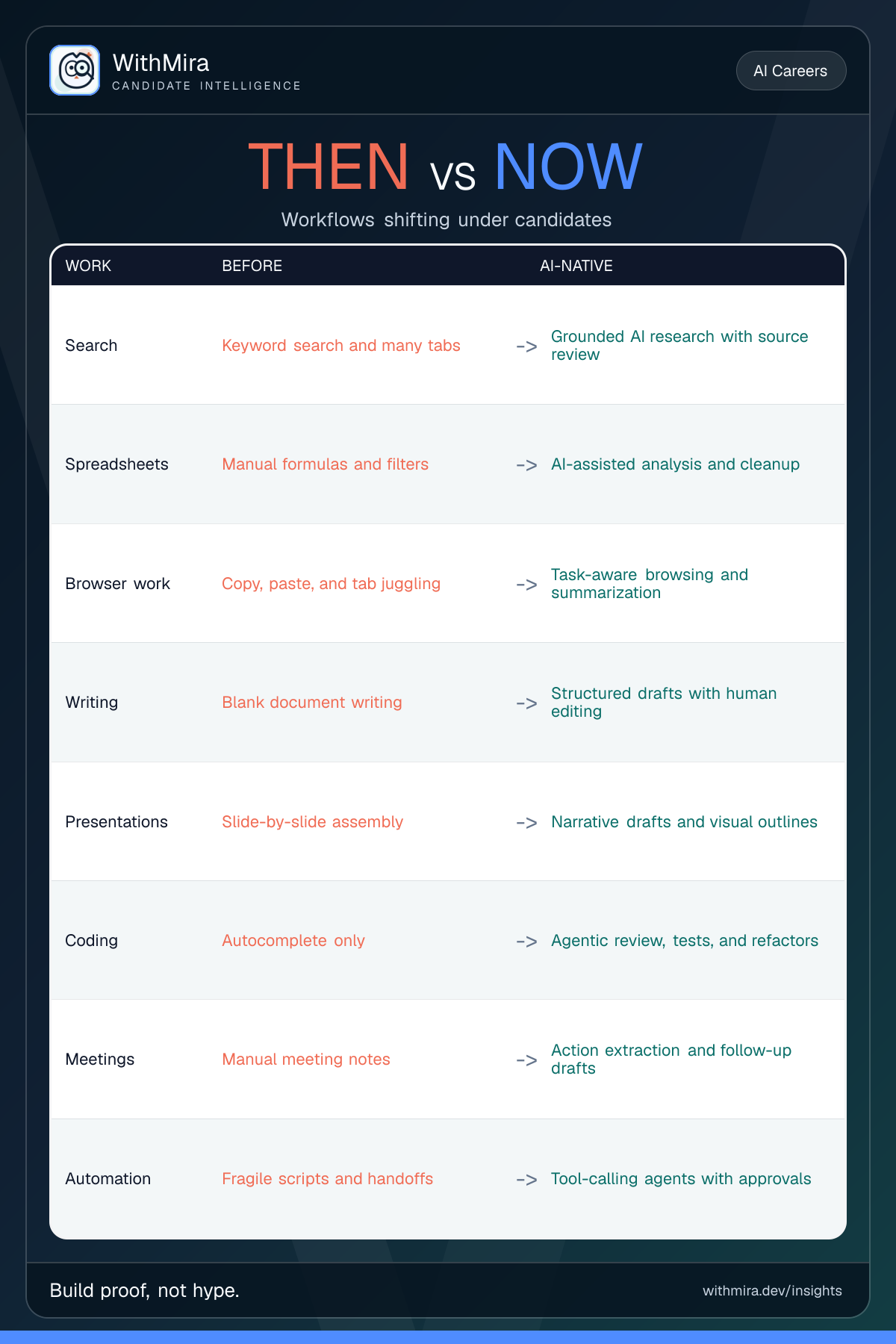
Candidates should understand how everyday work tools are shifting from manual interfaces toward AI-assisted workflows.
What changed
AI is not only a separate chatbot tab anymore. Search, spreadsheets, browsers, writing, meetings, coding, and automation tools are increasingly adding model-assisted workflows. The visible product change is simple: the tool is moving closer to the task.
That shift creates a better career question than 'which tool do you know?' The better question is 'which workflow changed, what improved, and what became riskier?'
Why candidates should care
Hiring teams do not need candidates who repeat tool names. They need people who can redesign small workflows, protect data, validate outputs, and explain where the human decision remains.
A before-and-after demo is useful because it gives the interviewer something concrete to inspect. Manual search becomes grounded research with source review. Manual spreadsheet cleanup becomes AI-assisted analysis with checks. Meeting notes become action extraction with owner review.
What to practice
Pick one familiar task and rebuild it with AI support. Good examples include research synthesis, spreadsheet cleanup, support-ticket triage, meeting-note action extraction, or a coding test harness.
The artifact should compare three things: the old workflow, the AI-assisted workflow, and the risk control. Without the third column, the demo reads like productivity hype. With it, the demo reads like product judgment.
The conclusion
The old tool skill was knowing where to click. The new tool skill is knowing how a workflow changes when AI starts suggesting, drafting, searching, or acting.
That does not remove human judgment. It makes judgment more visible. The candidate who can explain the before, the after, and the review point will have a stronger story than the candidate who only names the tool.
Compare what changed
Search
Keyword search and many tabs -> Grounded AI research with source review
Spreadsheets
Manual formulas and filters -> AI-assisted analysis and cleanup
Browser work
Copy, paste, and tab juggling -> Task-aware browsing and summarization
Writing
Blank document writing -> Structured drafts with human editing
Presentations
Slide-by-slide assembly -> Narrative drafts and visual outlines
Coding
Autocomplete only -> Agentic review, tests, and refactors
Meetings
Manual meeting notes -> Action extraction and follow-up drafts
Automation
Fragile scripts and handoffs -> Tool-calling agents with approvals
References
What to do next
- Write down the old workflow you know, the AI-native version, and the risk that still needs human review.
- Build one tiny demo that compares before and after for a real task, such as research, spreadsheet cleanup, or notes.
- In interviews, explain when the new tool saves time and when it can introduce mistakes.
What to remember
A practical then-vs-now guide for candidates who want to explain how AI changes everyday work without sounding hype-driven. The shift is practical, not decorative. Choose one old workflow, rebuild it with AI support, and document where human review still belongs.
- The important shift is from tool names to workflow judgment.
- Candidates should practice explaining risks, checks, and human review points.
- Before-and-after demos make AI fluency easier to believe.